功能
A Track per Instrument
Drums, bass, guitars, keys, synths, strings, brass and winds land on separate MIDI tracks, ready to route to whatever instruments, samplers and kits you load in your session.
Raw or Score-Based MIDI
Take the unquantized transcription MIDI to keep the original feel and velocities, or the score-derived MIDI that matches your edited notation.
Keys Split by Hand
The keyboard part comes divided into left and right hand, so the bass notes and the chords are easy to tell apart when you start editing.
扒谱示例
点击卡片,看看 Songscription 实际扒出来的效果。
Every Track Laid Out as Notes
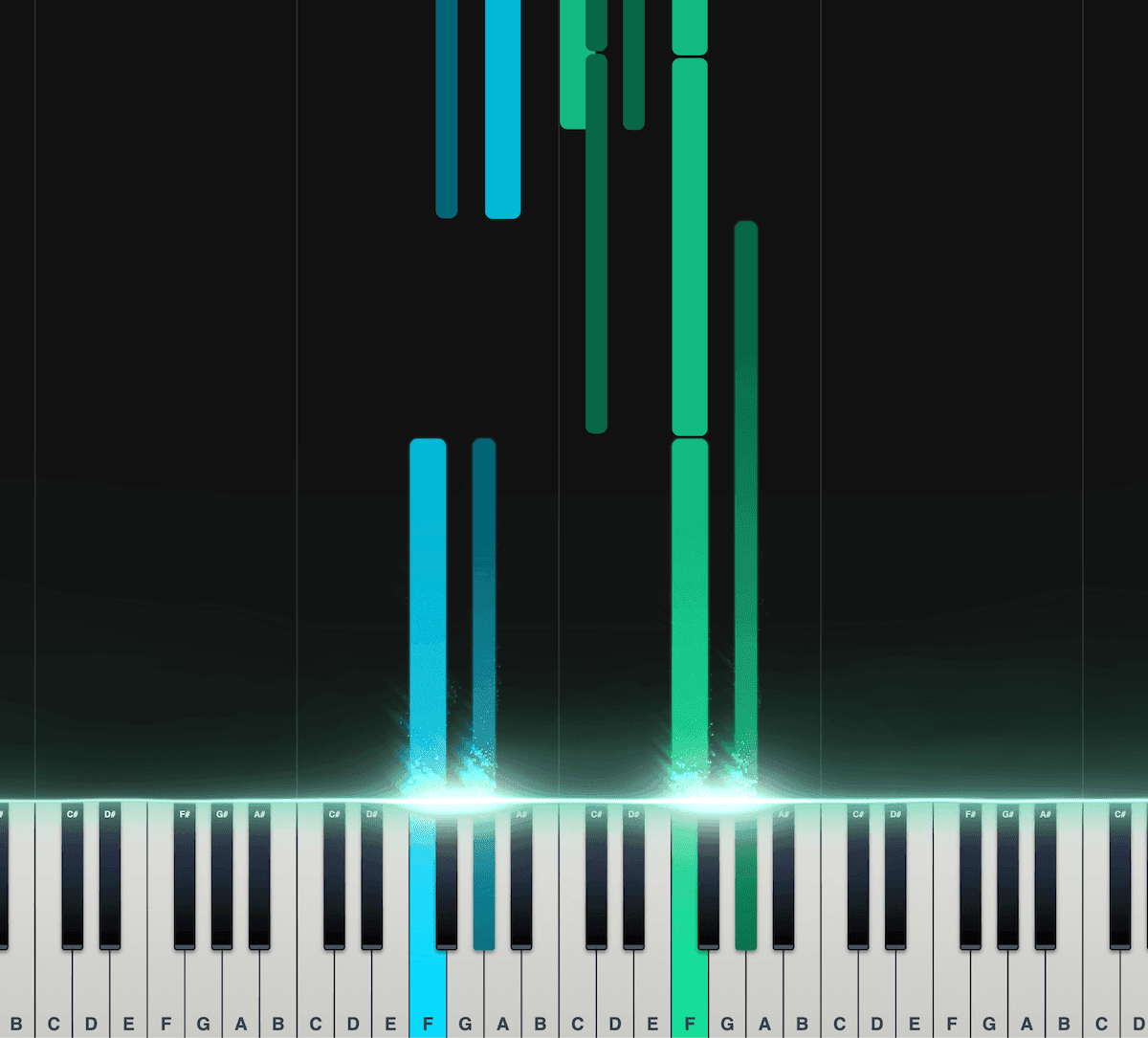
钢琴卷帘
在可以互动的钢琴卷帘里,每个音都会落到琴键上。弹的是哪个音、什么时候弹,都看得清清楚楚。
不太习惯看五线谱这类谱子的乐手,用它正合适。
把音符分成左手和右手。
播放速度、移调、颜色等都能自己调。
导出 MIDI 文件,拿到你的 DAW 里用。
世界各地的乐手都爱用
已有数千名乐手用 Songscription 改变了自己的创作方式
"有好多歌我一直想弹,却怎么也找不到乐谱。Songscription 终于解决了这个问题,现在我只要把音频交给它处理,就能开始弹了。"

Tomer
"我写过一首歌,多年来一直放在心里。它对我有很深的个人意义,但我始终没能好好把它分享出去。多亏 Songscription,我终于把它变成了乐谱。现在,除了我自己弹,其他人也能演奏、欣赏这首作品了。从写下那些音符开始,这就是我一直以来的梦想。"

Tony

"我用钢琴创作,Songscription 会把我那些乱七八糟的东西整理成真正的乐谱。"

Jeff

"Songscription 帮我把自己的现场录音转成乐谱。这活儿本来又枯燥又费时间,它给我省下了不知道多少个小时。"

Yameen Sekandari
媒体报道
常见问题
还有别的问题?联系我们
Can I try multitrack MIDI conversion for free?
可以免费用。30 秒的片段随便转,次数不限;更长的文件可以先免费试用。付费套餐的转录时长更多,也能处理更长的文件。
Which DAWs can open the multitrack MIDI file?
Any DAW that imports standard MIDI files, including Ableton Live, Logic Pro, FL Studio and GarageBand. Each instrument arrives as its own track, so you can load a different sound on each one.
Is the MIDI quantized?
The raw transcription MIDI is not. It keeps the free timing and velocities of the performance, so you can quantize it in your DAW as tightly or loosely as you like. The score-derived MIDI follows the written score instead, including any edits you made.
How cleanly does it separate the instruments?
Multi-Instrument is still in beta and improving. On busy mixes a note can end up on the wrong track or go missing. Check each track, fix notes in the editor before you export, or run one instrument on its own when that part has to be as clean as possible.
Does this export audio stems?
No. You get MIDI notes and sheet music, not separated audio. MIDI lets you play each part through your own instruments and change any note, which is usually what you want for remakes and remixes.
Can I convert a whole song to multitrack MIDI?
Yes. Multi-Instrument (beta) listens to a mixed recording in a single pass and writes a MIDI file with one track for each instrument it hears, across keys, guitars, bass, strings, brass, woodwinds, saxophones, synths, voice and drums. Dense orchestral mixes are the hardest case, so expect more cleanup there.
That is different from a regular audio-to-MIDI conversion, which hands you one instrument's notes. Here the whole arrangement comes across at once, with each player's notes kept apart so you can mute, reassign or rewrite them separately. If you only need one part, the audio to MIDI converter isolates a single instrument instead.
How do I get a song into my DAW as multitrack MIDI?
Upload the song here, download the MIDI when the transcription is done, and import the file into your DAW. Most DAWs open a multitrack MIDI file as a set of separate tracks without any extra setup.
- Upload the mix. Use an MP3, WAV, FLAC, AAC or M4A file, a video, or a YouTube, TikTok or Instagram link. This page is already set to Multi-Instrument.
- Download the MIDI. Choose the raw transcription MIDI or the score-derived MIDI from the Download menu.
- Import into your session. Drag the file into Ableton Live, Logic Pro, FL Studio or GarageBand. Our guide on how to import MIDI into a DAW covers each one.
- Assign your own sounds. Put a drum rack on the drum track, a bass synth on the bass, a favorite keys patch on the keyboard part, a string library on the strings, and carry on from there.
Which MIDI file should I download: raw or score-derived?
Download the raw MIDI when you want the performance as it was played, and the score-derived MIDI when you want the notes to match the cleaned-up notation.
Edits you make to the score do not carry into the raw file, so fix notes first if you plan to use the score-derived version. Raw MIDI does not snap to a grid; apply quantize in your DAW at whatever strength suits each track, lighter on the drums if you want to keep the swing.
| MIDI file | Timing | Best for |
|---|---|---|
| Raw transcription MIDI | Free time and unquantized, with the velocities of the original performance | Keeping the human feel, then quantizing in your DAW on your own terms |
| Score-derived MIDI | Follows the written score, including any corrections you made | Notes that line up with the sheet music after you fix them in the editor |
Why use multitrack MIDI instead of audio stems?
MIDI gives you the notes rather than the sound, so every part can be played through any instrument you choose, transposed, or rewritten note by note. Stems keep the original recording's tone but lock you into it. Songscription does not export audio stems; it gives you the notes.
That makes multitrack MIDI the better starting point for remakes, remixes with new sounds, and studying how a producer built each part. We compare the two in multitrack MIDI vs stems, and recreate a song in your DAW walks through a full rebuild.
- Swap the original sounds for your own synths, samplers and drum kits
- Change key or tempo with no audio artifacts to worry about
- Rewrite a single part, such as a new bass line, while the rest of the arrangement stays put
- Open each part in your DAW's piano roll to study the voicings and rhythms