Features
The Audio Comes Out on Its Own
Add the video and the soundtrack extracts in your browser before upload: no ripper site, no command line, no intermediate mp3 to manage.
MIDI for the Part You Want
Pick one instrument and we isolate it from the mix before transcribing. Run the same video once per part when you want the whole arrangement.
DAW-Ready Output
The .mid file carries every note's pitch, timing, and velocity. It drags straight onto a MIDI track, and MusicXML and sheet music come from the same run.
Preview the Notes Before You Export
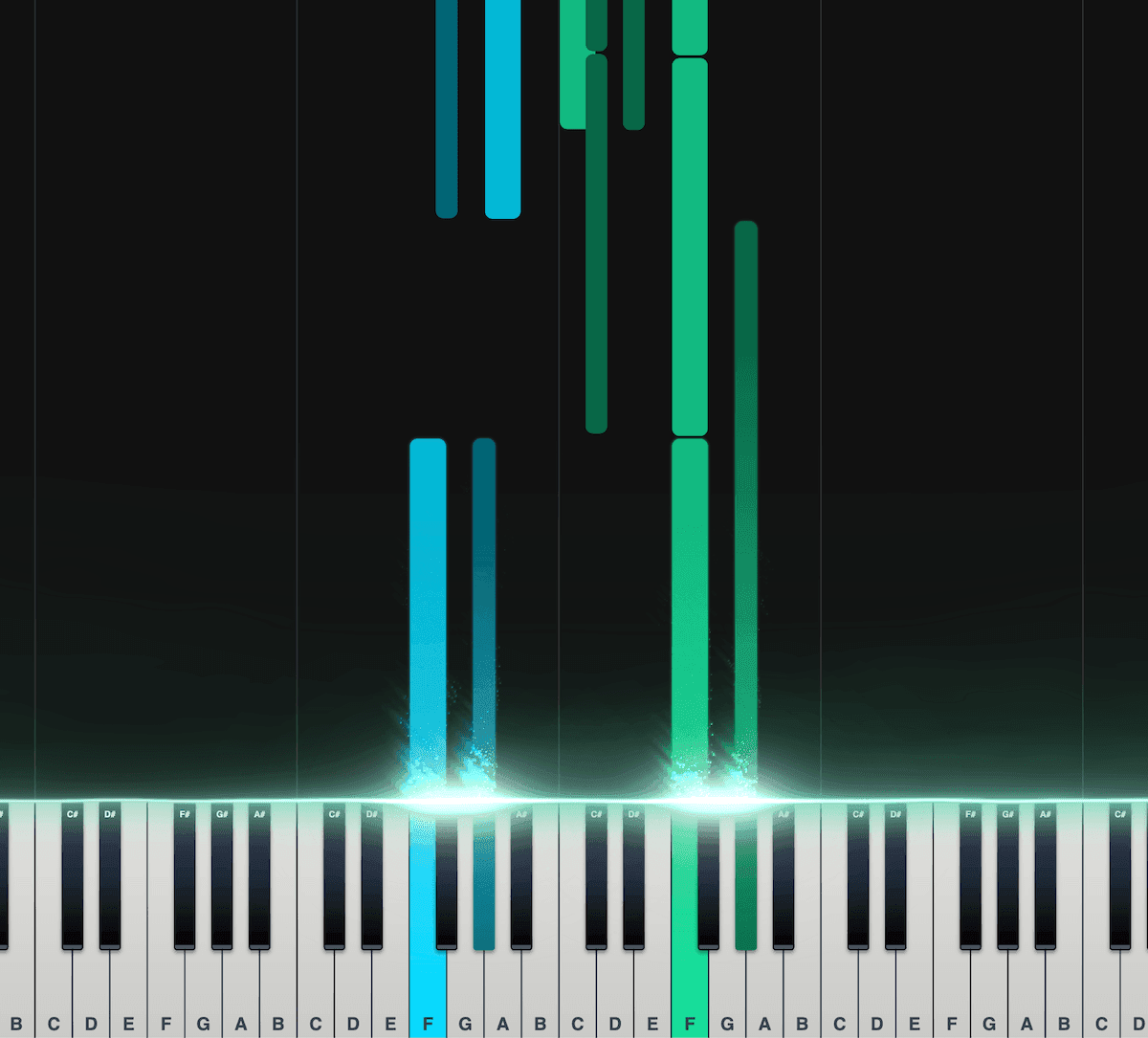
Piano Roll
Our interactive piano roll displays each note as it falls onto the piano keyboard, so you can see exactly what's being played and when.
Great for musicians who may not have a lot of experience reading other notation formats, such as sheet music.
Split the notes into left and right hands.
Control the speed, transposition, colors, and more.
Export as a MIDI file for use in your DAW.
Loved by musicians worldwide
Join thousands of musicians who have transformed their creative process with Songscription
"There are so many songs I've wanted to play but could never find the sheet music for. Songscription finally solves that problem; now I can just run the audio through and start playing."

Tomer
"I've composed a song that has lived in my heart for years - a deeply personal piece that I've never been able to share properly. Thanks to Songscription, I've finally translated it into sheet music. Now my composition can be performed and appreciated beyond just my own playing - a dream I've had since I first wrote those notes."

Tony
"There are so many songs I've written throughout my life that I hold in my hands but have never been able to pass on. Songscription opened a new door. For the first time, I have a lasting time capsule of my song that anyone, anywhere, can play, now and far into the future."

"I create at the piano, and Songscription cleans up my mess into real sheet music."

Jeff

"Songscription has helped me transcribe my own live recordings, transforming a mundane & time-consuming task into something that has saved me countless hours."

Yameen Sekandari
As seen in...
Frequently Asked Questions
More questions? Contact us
Can I convert an mp4 to MIDI for free?
Yes. Videos up to 30 seconds convert free with no sign-up, which covers testing a riff or a hook before you commit. A free trial handles longer videos, and paid plans add more transcription time.
Do I need to extract the audio from the video first?
No. That step happens automatically in your browser when you add the file. The mp4 goes in, the audio comes out on its own, and the transcription starts from there. You never handle an mp3 in between.
How accurate is the MIDI from a video?
As accurate as the same audio uploaded directly: the video wrapper makes no difference. Clean, single-instrument sound converts very reliably; dense mixes can miss or add the odd note. Isolating one instrument at a time and skimming the result in the editor before export both help.
Can I convert an iPhone video to MIDI?
Yes. iPhone videos are .mov files, which upload directly with no conversion on your end. Record close to the instrument, keep the room quiet, and the take you filmed becomes a workable MIDI file.
How does video to MIDI conversion work?
Two stages: extraction, then transcription. The audio track comes out of the video file first, and the AI then listens to that audio and writes each note it hears into a MIDI file, with pitch, start time, duration, and velocity.
- Upload the video. Drop an mp4, mov, or webm into the upload box. The audio extracts in your browser automatically.
- Pick an instrument. Choose the part you want as MIDI. We isolate it from the rest of the mix so its notes come through clean.
- Export the .mid file. Preview the notes on the piano roll, correct anything that needs it, and download MIDI for your DAW.
Which video formats are supported?
MP4, QuickTime (.mov), and WebM. The table covers where each one usually comes from and what happens to its audio, because the transcription only ever hears the audio track.
That extraction detail matters for quality: the notes can only be as clean as the sound inside the video, so a clip with compressed, clipped, or noisy audio transcribes worse than the same performance recorded cleanly. When you control the recording, favor the quietest room you can get.
| Format | Typical source | What happens to the audio |
|---|---|---|
| MP4 | Exports, downloads, most cameras | The audio track converts to a 44.1 kHz mp3 in your browser, then transcribes. |
| MOV (QuickTime) | iPhone and iPad recordings | Same in-browser extraction; a video shot on your phone uploads as it is. |
| WebM | Screen and browser recordings | The audio strips out the same way, so a screen capture of a performance works. |
How do I get the MIDI into my DAW?
Drag the .mid file onto a MIDI track and assign a sound. Ableton, FL Studio, Logic, GarageBand, Pro Tools, and Reaper all read the same file, and the note timing and velocity survive the trip.
Step-by-step guides: importing MIDI into any DAW, plus dedicated walkthroughs for Ableton Live and GarageBand. If your source is a link rather than a file, the YouTube to MIDI converter starts from the URL instead, and plain audio files go through the mp3 to MIDI converter.