Features
Press Play on Any Score
Upload the file and hear it immediately, with the notation on screen and playback tracking the score as it goes.
Practice-Speed Playback
Slow the piece down to learn it, loop the hard bars, and speed back up as it settles. The pitch stays put while the tempo moves.
No Notation Software Needed
Hear a .musicxml or .mid file without installing MuseScore or opening a DAW. The whole player runs in the browser, on desktop or phone.
Multiple output formats
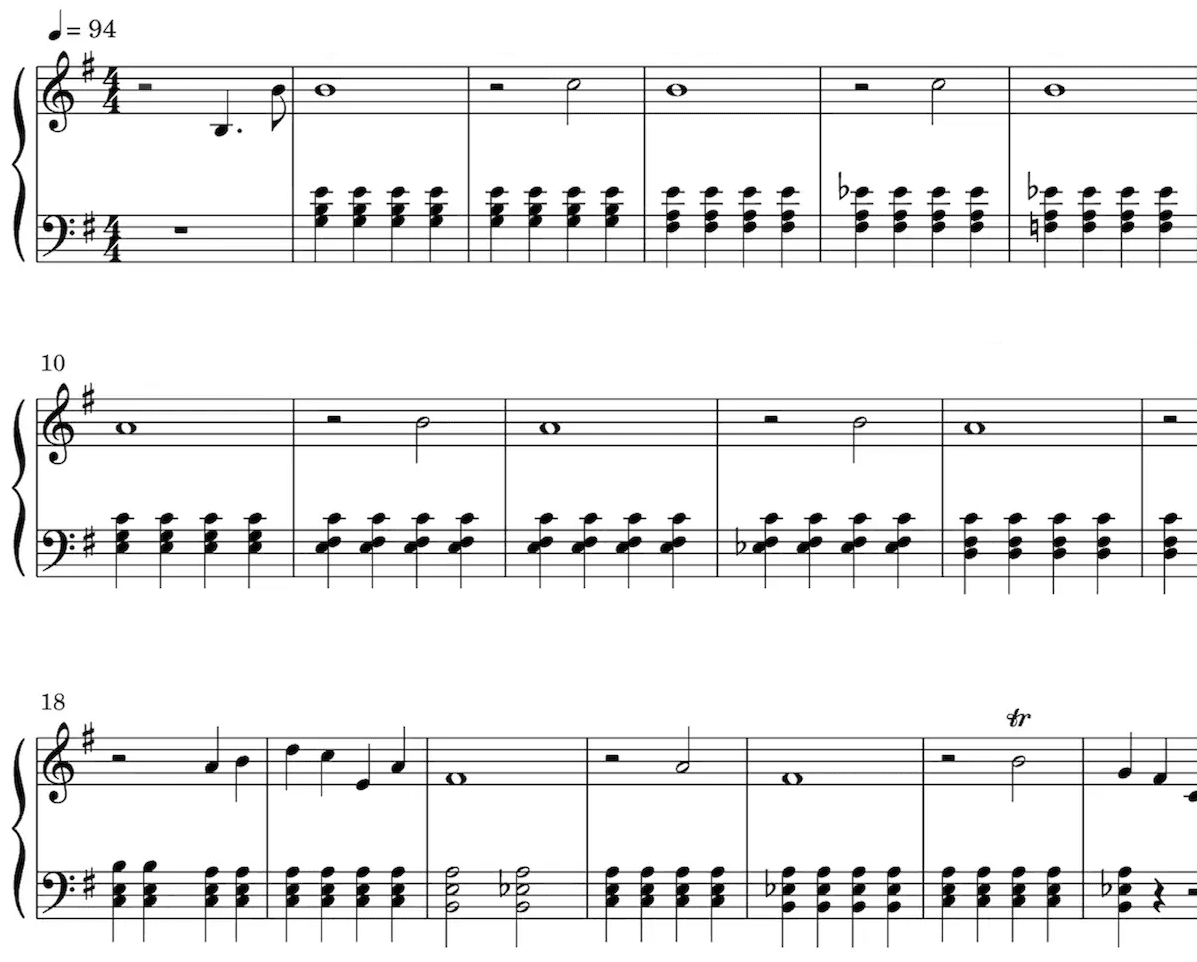
Sheet Music
Our AI technology picks out the notes from your audio and intelligently notates them on a musical staff, automatically detecting a wide range of musical features including time and key signature, trills, staccato, and other expressive markings.
Sheet music is especially valuable for classically trained musicians, music students, music teachers, and composers.
Playback the score to hear the transcription.
Speed it up or slow it down to your liking.
Edit the transcription.
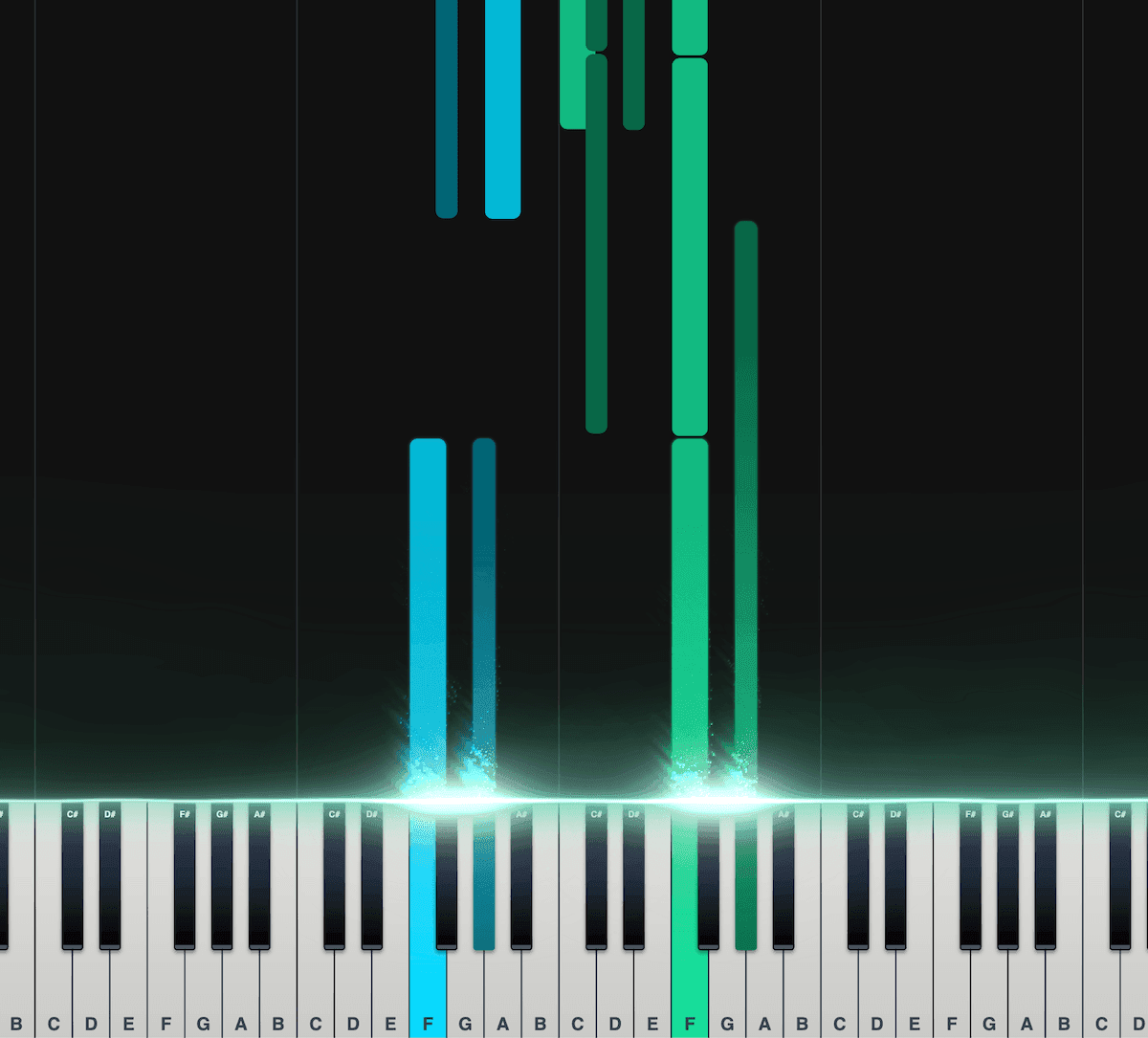
Piano Roll
Our interactive piano roll displays each note as it falls onto the piano keyboard, so you can see exactly what's being played and when.
Great for musicians who may not have a lot of experience reading other notation formats, such as sheet music.
Split the notes into left and right hands.
Control the speed, transposition, colors, and more.
Export as a MIDI file for use in your DAW.
Loved by musicians worldwide
Join thousands of musicians who have transformed their creative process with Songscription
"There are so many songs I've wanted to play but could never find the sheet music for. Songscription finally solves that problem; now I can just run the audio through and start playing."

Tomer
"I've composed a song that has lived in my heart for years - a deeply personal piece that I've never been able to share properly. Thanks to Songscription, I've finally translated it into sheet music. Now my composition can be performed and appreciated beyond just my own playing - a dream I've had since I first wrote those notes."

Tony
"There are so many songs I've written throughout my life that I hold in my hands but have never been able to pass on. Songscription opened a new door. For the first time, I have a lasting time capsule of my song that anyone, anywhere, can play, now and far into the future."

"I create at the piano, and Songscription cleans up my mess into real sheet music."

Jeff

"Songscription has helped me transcribe my own live recordings, transforming a mundane & time-consuming task into something that has saved me countless hours."

Yameen Sekandari
As seen in...
Frequently Asked Questions
More questions? Contact us
How can I hear my sheet music played?
Upload the score as a MusicXML or MIDI file and press play. The notation renders in your browser and plays back at whatever tempo you set. MusicXML uploads are free, and every transcription made in Songscription plays back the same way.
Can I play a MusicXML file without MuseScore?
Yes. Upload the .musicxml or .mxl file here and it plays in the browser, sheet music on screen, with nothing to install, on desktop or phone. Files exported from MuseScore, Sibelius, Finale, and Dorico all open the same way.
Can I convert sheet music to mp3?
Not directly; there is no mp3 download. What you can do is play the score back online instantly, or export its MIDI and render audio from that MIDI in GarageBand or any DAW, with whatever sounds you like. For practice and preview, the in-browser playback is the faster path.
Can I slow down the playback to practice?
Yes. Set the playback speed to whatever your hands or voice can manage today, and loop the bars that need work. The pitch does not change as the tempo drops, so you always practice in the real key.
Can I play a PDF of sheet music?
No. Songscription cannot read PDFs, photos, or paper scores, so a PDF has nothing here to play. If the piece exists as a recording, transcribe the recording and play the resulting score. If the PDF came from notation software, export MusicXML from that program and upload it instead.
How do I turn sheet music into sound?
If the sheet music exists as a MusicXML or MIDI file, upload it and press play: MusicXML uploads are free and the score sounds out in seconds. If the music only exists as a recording, transcribe it instead, and the playback comes built into the result.
- Upload the file. Drop in a .musicxml, .mxl, .mid, or .midi file. Scores exported from MuseScore, Sibelius, Finale, or Dorico all work.
- Press play. The score renders in the browser and plays back with the notation on screen, so you hear and see the piece together.
- Shape the playback. Set the tempo, loop a passage, or transpose the piece, then come back to it any time from your library.
Play a MusicXML or MIDI file online
This is the underserved case: you downloaded a MIDI file or someone sent you a MusicXML score, and you just want to hear it without installing notation software. Upload it here and it plays, with the sheet music rendered alongside. No MuseScore, no plugin, no desktop app.
If you're deciding which format to pass around, MusicXML vs MIDI explains what each one carries, and opening MusicXML files covers the desktop-software route for when you eventually want one.
Practice playback
Hearing a score is how you check your reading: play the passage yourself, then play the score's version, and the difference is your practice list. Slow the playback down for the hard bars and loop them until they sit; the notes stay at pitch while the tempo drops.
Two companion guides go deeper: slowing down music without changing pitch and learning a song section by section.
Have a PDF instead?
Songscription cannot read PDFs, photos, or paper scores, so a PDF cannot be played back here. If the piece exists as a recording, transcribe the recording: you get playable, transposable notation of it. If the PDF came out of notation software, export MusicXML from that program and upload the export instead.
Which path fits what you have?
Three roads lead from notation to sound. Pick by what's already on your disk.
| What you have | What to do | What you hear |
|---|---|---|
| A MusicXML file | Upload it here and press play | The score, rendered and sounding, with tempo and key controls |
| A MIDI file | Upload it the same way | Playback plus a piano roll, with sheet music generated from the MIDI |
| A recording, no file | Transcribe it with AI | A playable score of the performance, via the audio to sheet music converter |
| Only a PDF | Export MusicXML from your notation app, or use a recording | The same playback once the music arrives in a readable format |